
Now Reading: How to enable Peace Walker’s improved visuals in the Master Collection
1
-
01
How to enable Peace Walker’s improved visuals in the Master Collection
How to enable Peace Walker’s improved visuals in the Master Collection

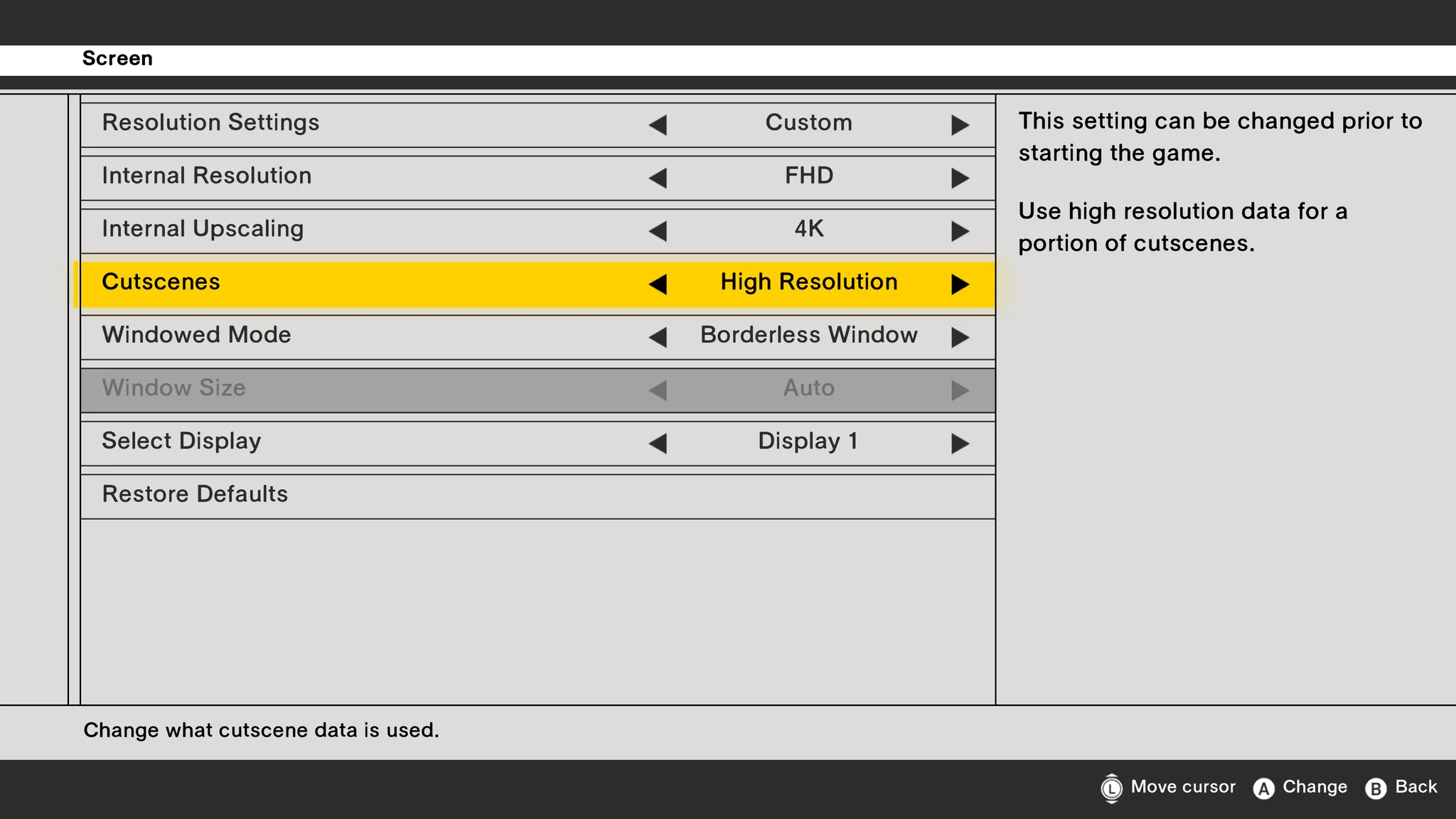
For anyone confused about why they are not seeing the improved visuals in Peace Walker, they are turned off by default. You will need to open the launcher settings and enable upscaling, higher-resolution artwork and the other visual enhancements.
Open Options in the launcher, then select Screen. Our screenshots show the Internal Resolution, Internal Upscaling and Cutscenes settings. Set Cutscenes to High Resolution to use the higher-resolution data for a portion of the cutscenes.
Related Posts


Previous Post
Next Post


Loading Next Post...


